


Dates, friends, or both
At most schools, there are two kinds of drops:
- Date drop matches you with someone to go on a date with.
- Friend drop matches you with someone new to be friends with.
You can be in one, the other, or both. If you're in both, you'll get a separate match from each.
Choosing what you're matched for
- Go to your Home page. On your phone, tap the Home icon at the bottom of the screen. On a computer, click Home at the top of the page.
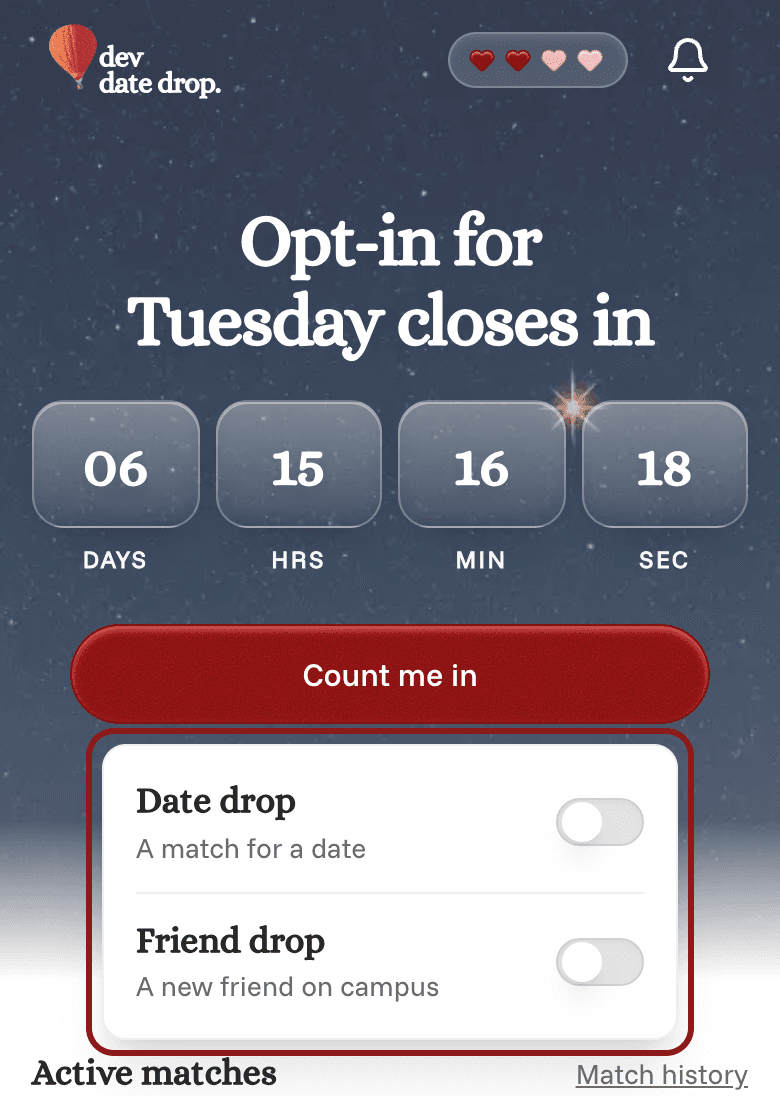
- If you're not in the next drop yet, tap Count me in. If you're already in, tap Change under "You're in for…".
- A small box opens with a switch for Date drop and one for Friend drop. Turn on the ones you want, and turn off the ones you don't.
- Tap anywhere outside the box to close it and save.
The first time you turn on Friend drop, we'll ask a few quick questions about the kind of friends you're looking for. Once you've answered them, you're in.
Your change applies to the next drop, as long as you make it at least an hour before the drop.