


Quotes from friends
Your friends can be your wingman by writing a short quote about you, like a favorite memory or a little thing they love about you. Quotes give your match a sense of who you are from someone who knows you well.
Asking a friend
- Open your profile. On your phone, tap the Profile icon at the bottom of the screen. On a computer, click your initials or photo in the top right, then Profile.
- On your profile card, find Quotes from their friends.
- Tap Ask a friend, search for your friend's name or type their email, tap Add, then tap Send. We'll email them for you.
- Or tap Copy your link and send the link to your friend yourself.
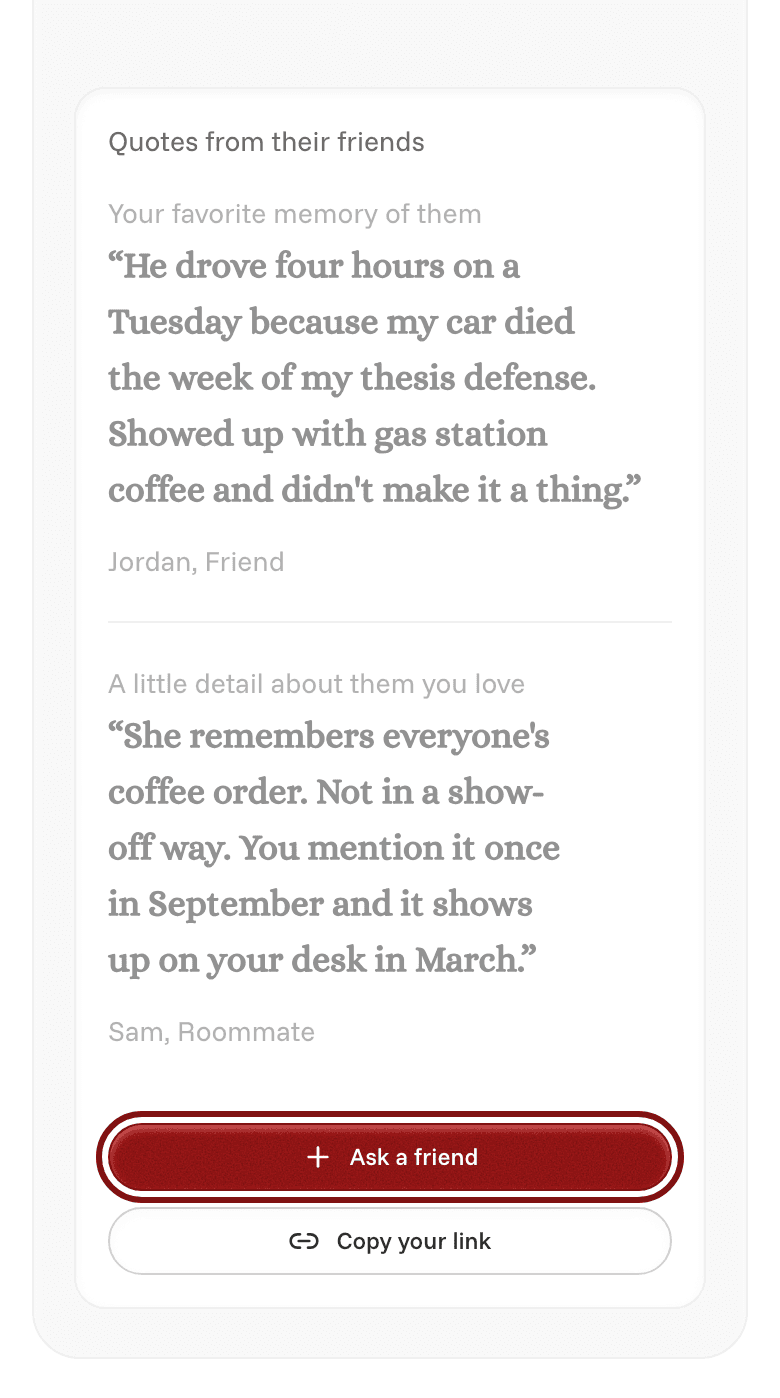
Your friend picks a prompt, writes two or three sentences, and says how they know you.
If a friend hasn't replied after a day, you can tap Nudge to remind them.
Showing a quote on your profile
By default, new quotes stay hidden until you choose to show them.
- To show a quote, tap the eye icon on it. You can show up to 3 at a time.
- To hide a quote, tap the eye icon again.
- To delete a quote, tap the trash icon, then Remove quote.
Looking for the list of friends you don't want to be matched with? See Close friends.